

























Explore real-world automation examples from our customers below:

Bank details request
Notify departments of rejections or cancellations at any step of the process

Internal employee polls and surveys
“To gauge if they are attending events (internal or external), training requirements, feedback in general, etc.”
Who to contact
“Employees are bombarded with information in the first week of a new job. Our automation is set to send out an email checking in with a ‘Who to contact’ quick sheet one month after an employee’s start date. We find the reminder and corresponding quick sheet helps our employees reach out to the correct individuals and lowers the number of emails our inboxes must direct to a different party.”
Automation audit
“One of the most useful things we have done is to develop an ‘Automation audit’ spreadsheet which is a list of every automation we run, a brief run down of what it does, and then where it fits into the Connected Recruiting flywheel. We can then see any gaps in the flywheel, i.e. if you don’t have much automation support for the ‘onboard’ stage, you can then work to address this. It also helps….” Read more
Missed revenue/backdoor hires
“Candidates enter the automation at point of submission for each opportunity. If the candidate status is not ‘placed’ at three and six months after the interview date (in line with ownership periods), the consultant gets a reminder to check in with the candidate for missed revenue opportunities. We had an £11k score in June picked up by this. It also encourages consultants to check in with candidates that were…” Read more
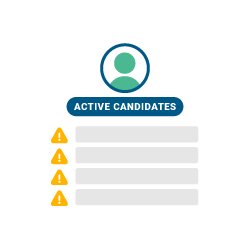
Blank information
“All candidate owners will be sent a weekly email containing an embedded list of all their active candidates who are missing ‘area’, ‘category’, and ‘skills’. This has saved me so much time checking the coding manually. And it consolidates them all into an email for the consultant’s ease.”

Contractor extending
“Your contractor’s end date is in five weeks time – are they extending? This gets sent to the placement owner, operations, and the team lead.”

To build our teams confidence on what Bullhorn Automation can do for them, we utilise automations for internal notifications before we go to outreach. This has helped our team to see how automations can drive activity and productivity.
Sandra McKinnon
Head of Operations, Harvey John
Get a tailored demo, or speak to a member of the team to learn more
Back door notifications
“When candidates interview but don’t get the job, notifications are set up to the consultant to make them aware it has been three months and six months since the interview, and they then check they have not been backdoored.”

Operations based automations
“48 hours after a successful placement is raised, if I have not yet received the paperwork from the consultant, we will both receive an email reminder, containing the placement number, start date of placement, etc. This has been really helpful and has saved time chasing/checking. This is trigger based: paperwork received = a status of approved. A day after a contractor’s end date, we have an automation…” Read more
New starters
“We love the automation for new starters to wish them good luck and to help with our service review check-ins.”
Jobs without placements
“Identify sales contacts that you have had jobs with but not had placements (or any other activity) to identify call lists recruiters should be engaging with.”

Area manager notification
“Notification to the area manager to advertise a job via idibu. If any of their executives adds a new vacancy and it has a published description of ‘not submitted’, it sends a notification to their manager to post the job online.”
Compliance check
“This checks if a placed temp worker had their ACC (health claims) record checked.”