






















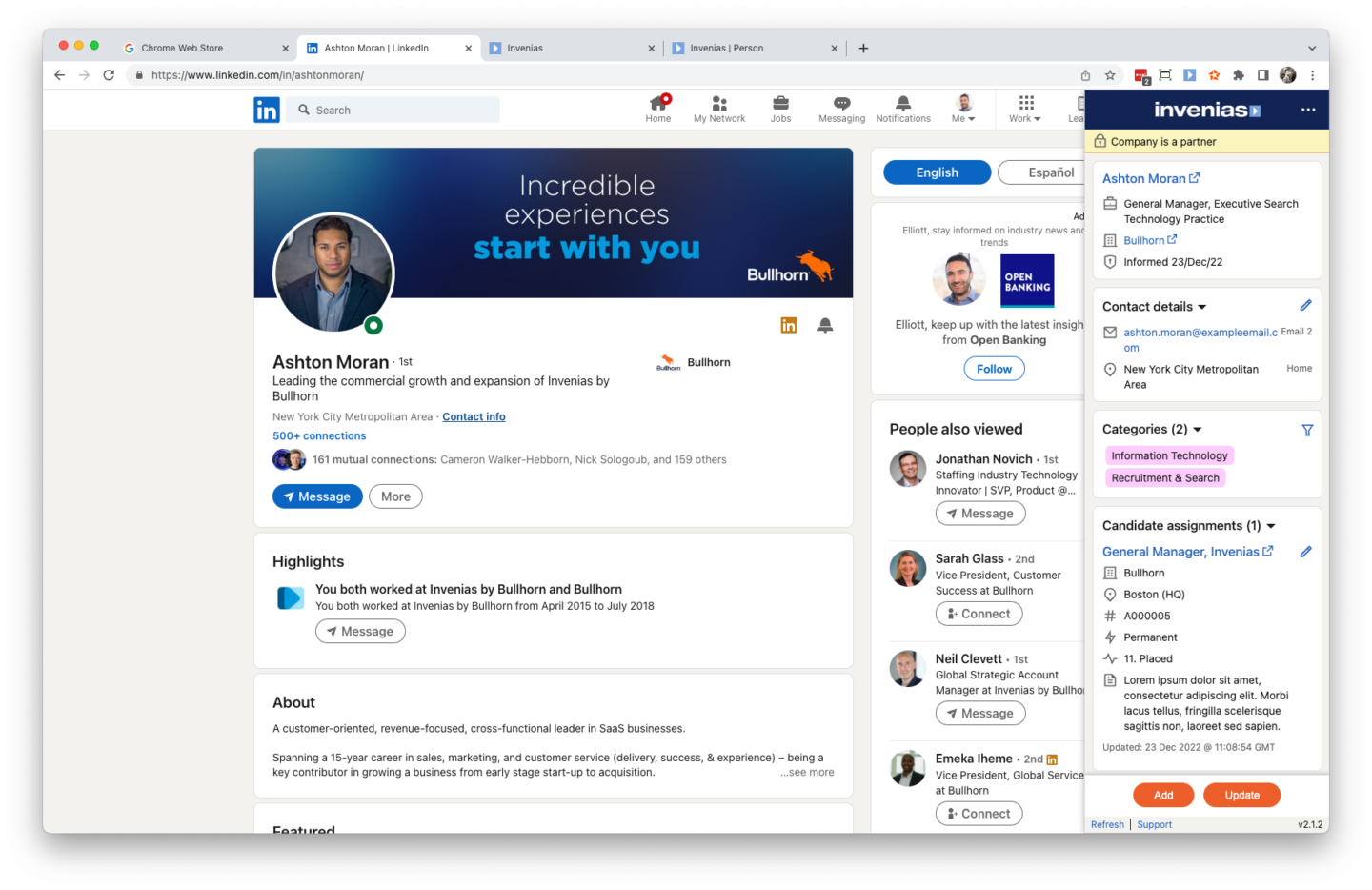
Embed your CRM within LinkedIn and other websites
Go to the supported website of your choice and whilst viewing someone’s online profile, open Coral Starfish to check if this person is already in your database. If they are already there, Coral Starfish will show you a summary of the data from your database including:
- contact information
- categories & skills
- shortlists
- lists
- activities (e.g notes, appointments, tasks)
Not only can you view data on existing records, you can update these records too, directly from the website you’re currently using…
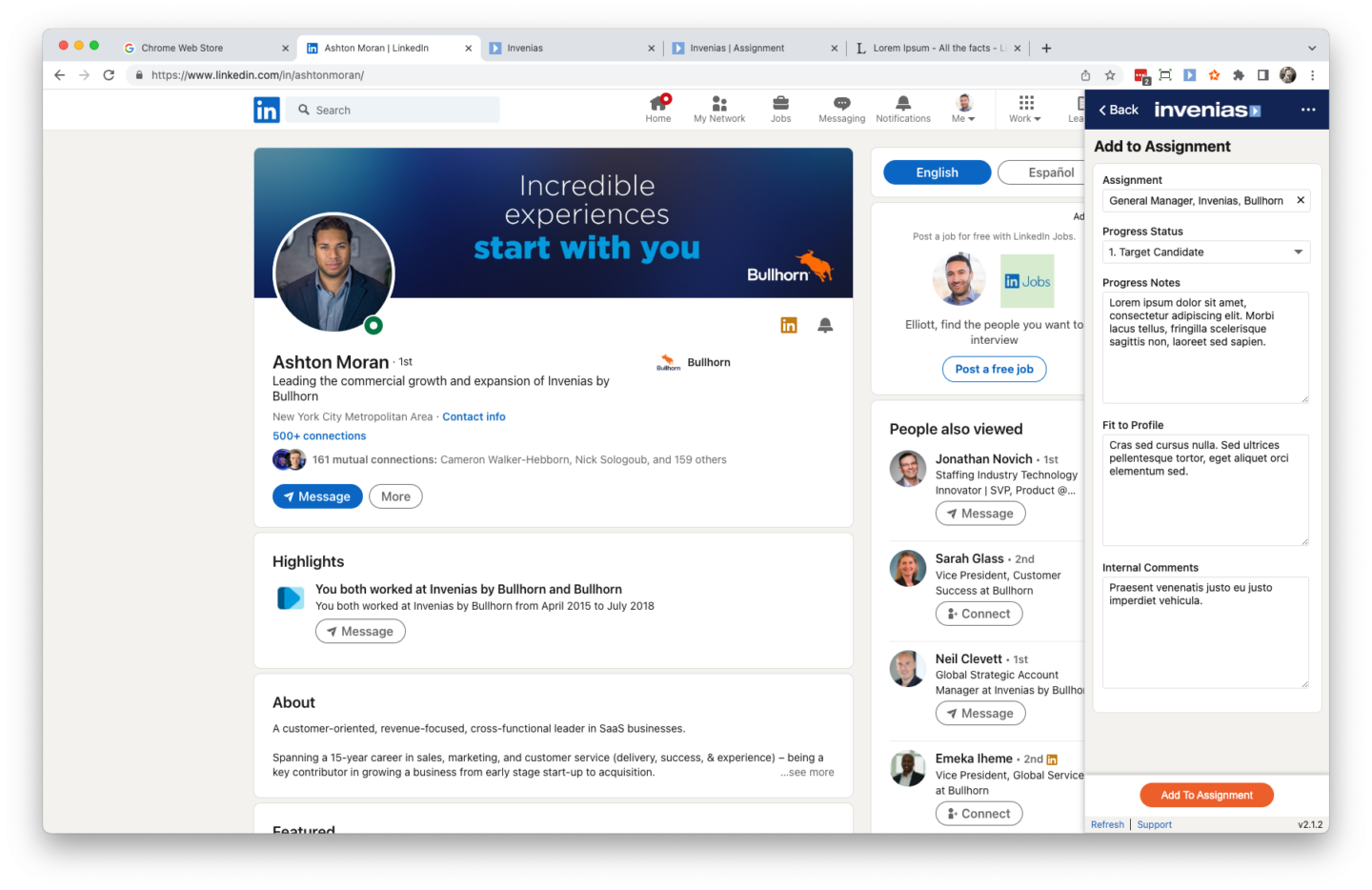
Update existing records in a variety of ways
Instead of constantly switching between your CRM and your website of choice, for example LinkedIn, use Coral Starfish instead. You can work with existing database records in multiple ways.
- Shortlist for jobs
- Add to lists
- Edit contact details
- Add activity to the record such as notes and phone logs
- Upload a newly received CV
- Save communications (LinkedIn messages)
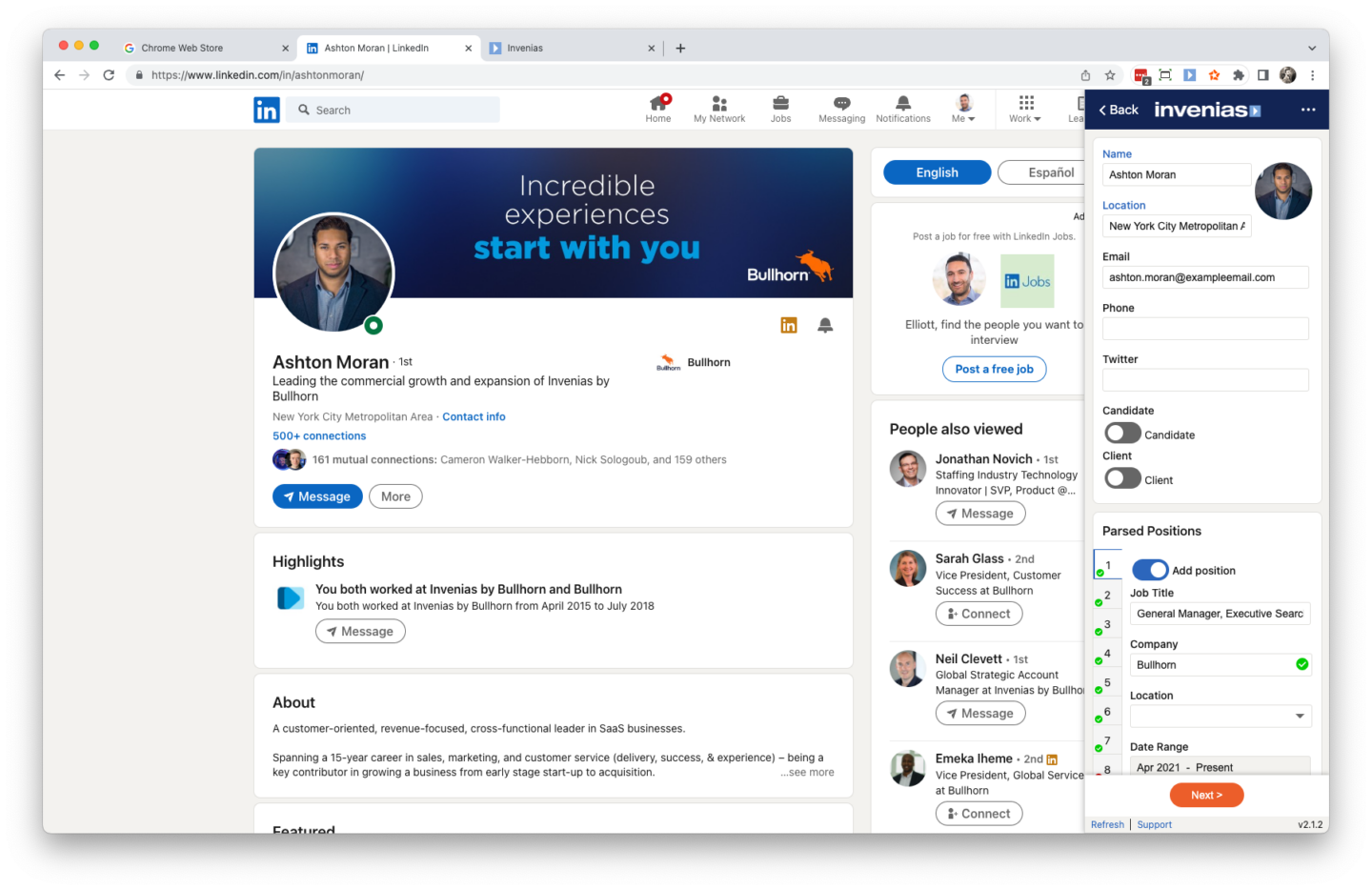
Quickly add new records to your CRM
If the current person you’re viewing isn’t in your CRM, quickly add them, choosing to keep just the first position or the entire position history.
You can match positions to existing companies and create new company records.
All required fields configured in your CRM will show, ensuring data is entered into these fields as part of the record creation process.
Once new records have been created, add them to jobs or lists in the same way you can work with existing records (as above)
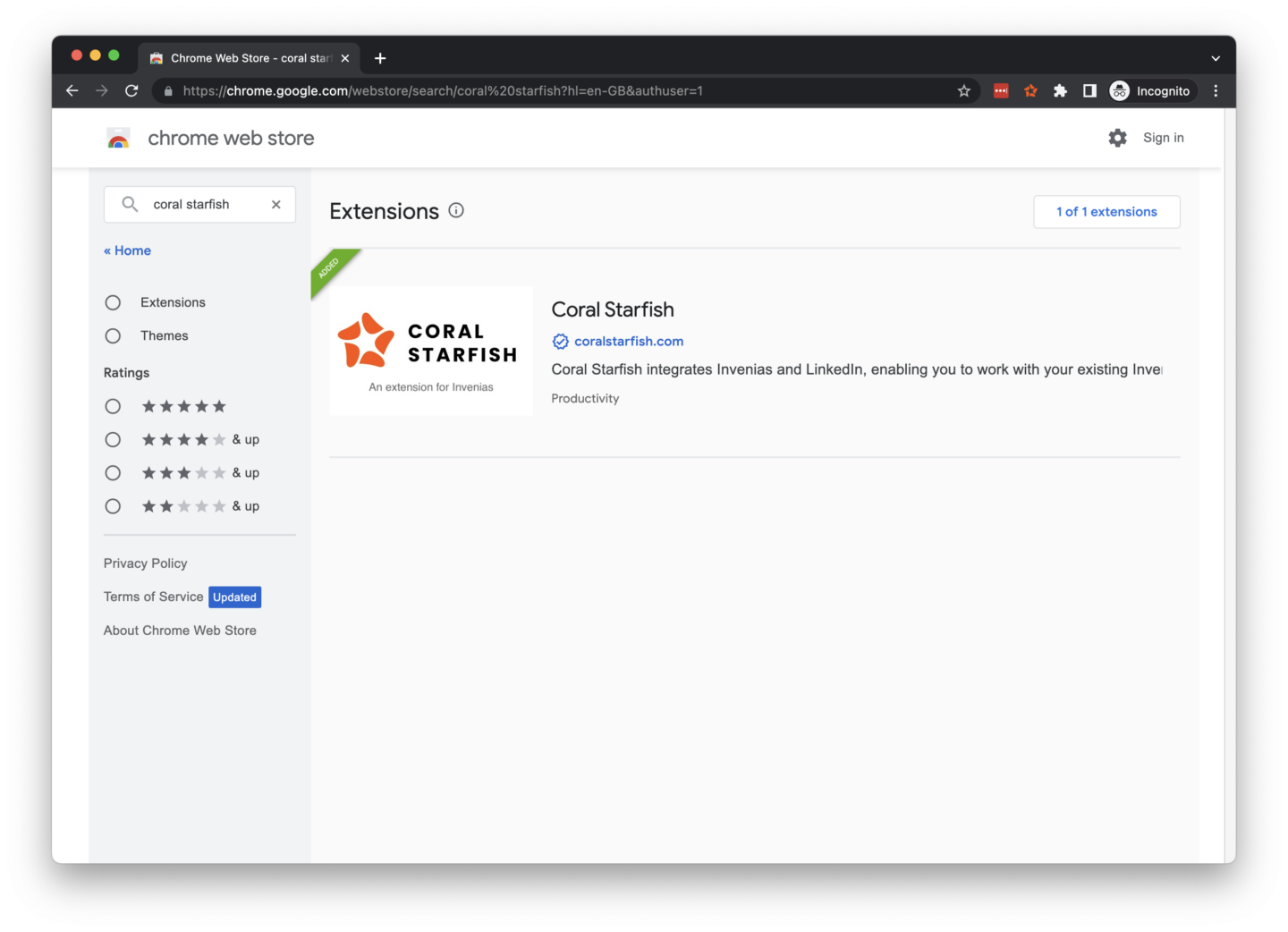
Download now to start a free trial
Start a free trial of Coral Starfish today!
You can sign up for a free trial without having to speak to anyone at Coral Starfish and without having to enter any details (payment or otherwise) upfront. We strongly believe you should try the product for free before you buy so you can see the value for yourself.
Simply go to our website (https://coralstarfish.com) and click on the FREE TRIAL button, where you can install the Chrome Extension for your CRM and follow the steps to get started.